分类:
Net Core
分类:
Net Core
使用腾讯防水墙接入滑动验证效果进行登录,防止别人恶意用代码登录。
首先我们要去腾讯防水墙注册,然后创建验证 官方地址:https://007.qq.com
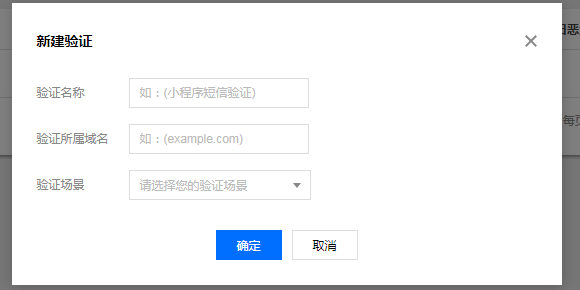
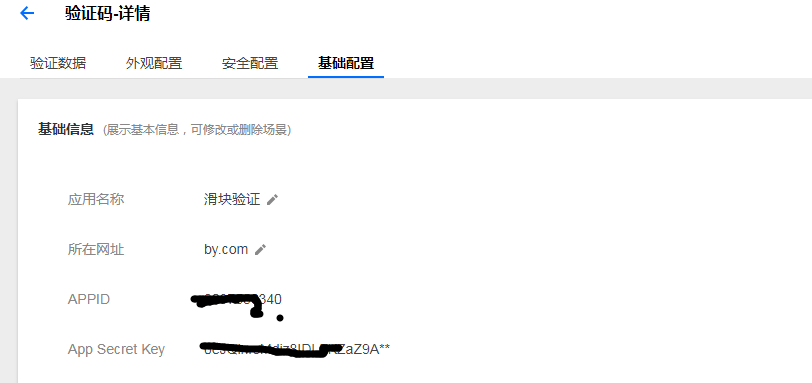
创建好了就可以看见点开基础配置我们自己的id跟密钥了

然后我们就可以接入服务器了
一、先引入js 官方文档地址:https://cloud.tencent.com/document/product/1110/36841
<script src="https://ssl.captcha.qq.com/TCaptcha.js"></script>
二、验证按钮(也就是登录按钮)
<button id="TencentCaptcha"
     data-appid="appId"
     data-cbfn="callback"
     type="button">
     验证
</button>
这里的ID我们不能随便改(按照腾讯固定格式)
三、回调函数进入后台
        window.callback = function (res) {
            if (res.ret === 1) {//验证失败
                alert("未通过验证,请重新验证");
                return;
            }
            if (res.ret === 0) {//验证成功
                //这里就是给上面的2个标签赋值
                $('#ticket').attr('value', res.ticket);//回调的票据
                $('#randstr').attr('value', res.randstr);//回调的字符串
                $("#Login").submit();
            }
做到这一步我们就可以看到效果了
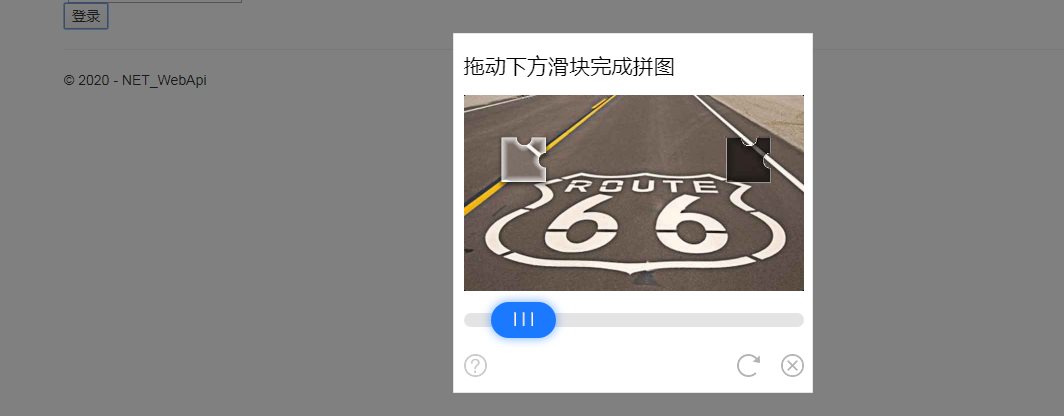
这里注意一下

就是你刚创建好后 点开基础配置这里的id不一样
四、后台
    //依赖注入
        private readonly INET_UserLogin_DAL inET_UserLogin_DAL;
        public HomeController(INET_UserLogin_DAL nET_UserLogin_DAL)
        {
            inET_UserLogin_DAL = nET_UserLogin_DAL;
        }
我这里是在CORE里面对数据库操作
string _aid = "2037556340";//appid 这里的id要跟前台的id一致
        string _AppSecretKey = "0eJQlnrsMdiz8IDLFKZaZ9A**";//App Secret Key
        [HttpPost]
        public async Task<Ret> _index(string username, string password, string verifycode, int autologin, string ticket, string randstr)
        {
            #region 防水墙验证(Get请求)
            string url = "https://ssl.captcha.qq.com/ticket/verify?";//请求地址
                                                                     //参数
            string aid = _aid;//appid
            string AppSecretKey = _AppSecretKey;//App Secret Key
            string UserIp = HttpContext.Connection.RemoteIpAddress.ToString();//提交验证的用户的IP地址
            string parameters = string.Format("aid={0}&AppSecretKey={1}&Ticket={2}&Randstr={3}&UserIP={4}", aid, AppSecretKey, ticket, randstr, UserIp);
            url = url + parameters;
            //http get请求
            HttpClient httpClient = new HttpClient();
            string resulttoken = await httpClient.GetAsync(url).Result.Content.ReadAsStringAsync();
            //验证结果
            TencentCaptchaResultData tencentCaptcha = JsonConvert.DeserializeObject<TencentCaptchaResultData>(resulttoken);
            if (tencentCaptcha.response != 1)//失败则抛出异常,反之就进行后面的用户密码验证,判定是否等成功
            {
                throw new Exception("防水墙验证失败!");
            }
           // return tencentCaptcha.response;
            NetUser netUser = inET_UserLogin_DAL.Login(username, password);
            var data = new Ret { };
            if (netUser != null)
            {
                data = new Ret
                {
                    Code = 200,
                    Msg = "成功",
                    Value = netUser
                };
            }
            else
            {
                data = new Ret { Code = 404, Msg = "找不到资源", Value = null };
            }
            return data;
            //return View();
        }
这样就弄好了 看下效果

评价